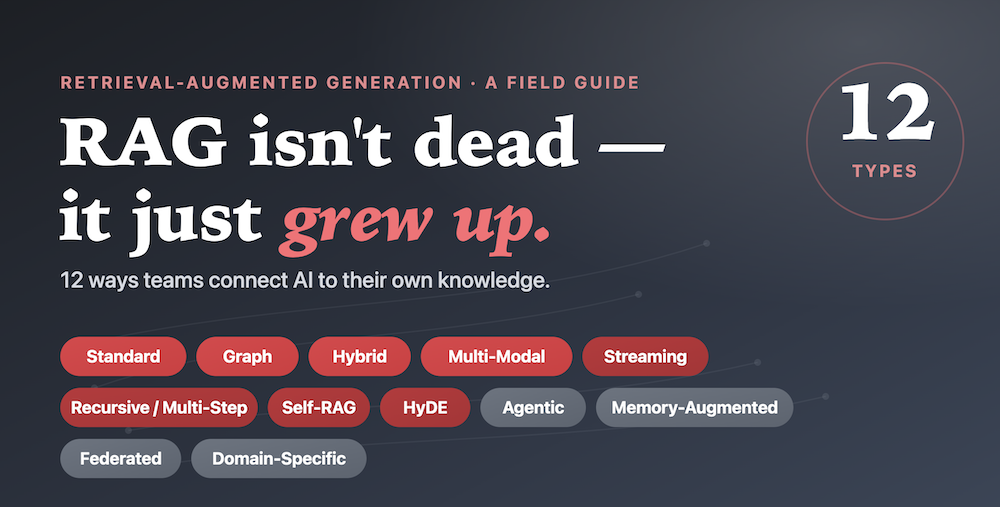
Retrieval-Augmented Generation · A Field Guide
RAG isn’t dead — it just grew up.
One retrieval recipe was never going to feed every problem. Here are 12 distinct ways teams connect AI to their own knowledge with a real-world job each one is actually good at.
There’s a recurring claim that “RAG is dead” now that models have bigger memories and longer context windows. In practice, the opposite is happening: RAG is splitting into specialised forms. The question for a product team was never “should we use RAG?” It’s “which kind of retrieval fits the problem in front of us?”
Think of it like databases. Nobody asks whether to “use a database.” They ask whether the job needs a relational one, a search index, a graph, or a cache. RAG is heading the same way. A customer-support assistant, a legal research tool, and a live fraud monitor all need to pull in outside knowledge — but the way they pull it is completely different.
The 12 types at a glance
Standard RAG
“Find the most relevant documents, then answer using them.”
This is the original and still the most common pattern. Your documents are broken into chunks and converted into “embeddings” — a way of storing meaning so the system can find passages that are about the same thing as the question, even when the wording differs. The AI retrieves the closest few chunks and writes its answer grounded in them, which cuts down on confident-but-wrong “hallucinations.”
Graph RAG
“Don’t just find facts — follow how they connect.”
Standard RAG treats each chunk as an island. Graph RAG first organises knowledge into a network of entities and relationships — people, products, companies, and the links between them. When a question needs reasoning across several hops (“which suppliers are affected if this factory shuts down?”), it can trace the connections instead of hoping one paragraph happens to mention everything.
Hybrid RAG
“Match the exact words AND the underlying meaning.”
Meaning-based search is great for “find me something similar,” but it can fumble exact terms — a part number, an error code, a person’s name. Keyword search nails those but misses paraphrases. Hybrid RAG runs both and blends the results, so you get precision on the literal stuff and recall on the conceptual stuff.
Multi-Modal RAG
“Retrieve from pictures and diagrams, not just words.”
A lot of real knowledge lives in images: product photos, scanned invoices, X-rays, architecture diagrams, screenshots. Multi-modal RAG can index and retrieve across these, so a question can be answered using a chart or a photo rather than only the surrounding text.
Streaming RAG
“Answer from data that’s changing by the second.”
Most RAG assumes a fixed pile of documents. Streaming RAG plugs into live feeds — transactions, sensor readings, news, log events — so answers reflect what’s true right now, not what was indexed last night. The emphasis is on low latency: get fresh data in and out fast.
Recursive / Multi-Step RAG
“Look something up, learn from it, then look up the next thing.”
Hard questions can’t be answered in one search. Recursive RAG retrieves, reads what it found, realises what’s still missing, and searches again — in stages — building toward a complete answer. It trades a little speed for noticeably better reasoning on complex questions.
Self-RAG
“Draft an answer, then critique and fix it before sending.”
Self-RAG adds a reflection loop. After retrieving and drafting, the system asks itself: is this actually supported by the sources? Is anything missing or contradicted? If the answer is shaky, it retrieves more or rewrites — a built-in quality check that catches weak answers before the user sees them.
HyDE RAG
“Write a fake answer first — and use it to find the real one.”
HyDE (Hypothetical Document Embeddings) is a clever trick. Short questions make for weak searches. So the system first drafts a guess at what a good answer might look like, then searches using that richer draft. The guess doesn’t need to be correct — it just casts a wider, smarter net than the bare question would, improving what gets retrieved.
Agentic RAG
“Let the AI decide what to look up, which tool to use, and when.”
Instead of a fixed retrieve-then-answer pipeline, an agent plans. It can choose between sources, call tools (search the web, query a database, run a calculation), and chain several actions to complete a task. Think of it as RAG that can act, not just fetch. The trade-off is more moving parts to test and supervise.
Memory-Augmented RAG
“Remember the conversation and the person, not just the documents.”
Standard retrieval is stateless — every question starts cold. Memory-augmented RAG keeps an external store of past interactions and user context, so the assistant stays consistent across a long conversation and personalises to who’s asking. This is also the answer to “context-aware” retrieval: it carries the thread instead of dropping it.
Federated RAG
“Search across data sources without moving the data.”
Sometimes you can’t pile all your knowledge into one index — it’s spread across departments, regions, or partner companies, often for privacy or legal reasons. Federated RAG queries each source where it lives and combines the results, so sensitive data stays put. It’s the privacy-and-governance-friendly flavour of RAG.
Domain-Specific RAG
“Tuned to speak one industry’s language fluently.”
A general assistant doesn’t know that “consideration” means something specific in contract law, or how a radiology report is structured. Domain-specific RAG is built around a particular field’s vocabulary, document formats, and rules — trading breadth for trustworthiness where the details really matter.
So, which one do you need?
Almost certainly more than one. Real systems combine these — a support assistant might be Hybrid and Memory-Augmented and Self-correcting all at once. The 12 aren’t competing products; they’re ingredients.
The leadership takeaway is simple: don’t ask your team “are we using RAG?” Ask “what does this problem need to retrieve, from where, how fresh, and how carefully checked?” The answer to that question is your architecture.